
Client links
A read-only page for someone with no account — a client, the board, an investor — that you can turn off at any time.
Guests are for people who take part. A client link is for people who only need to see: it opens a single page showing where a project stands, with no sign-in, and nothing else of the workspace reachable from it. It is the live version of a PDF export — open it next week and it shows next week's picture.
Making one
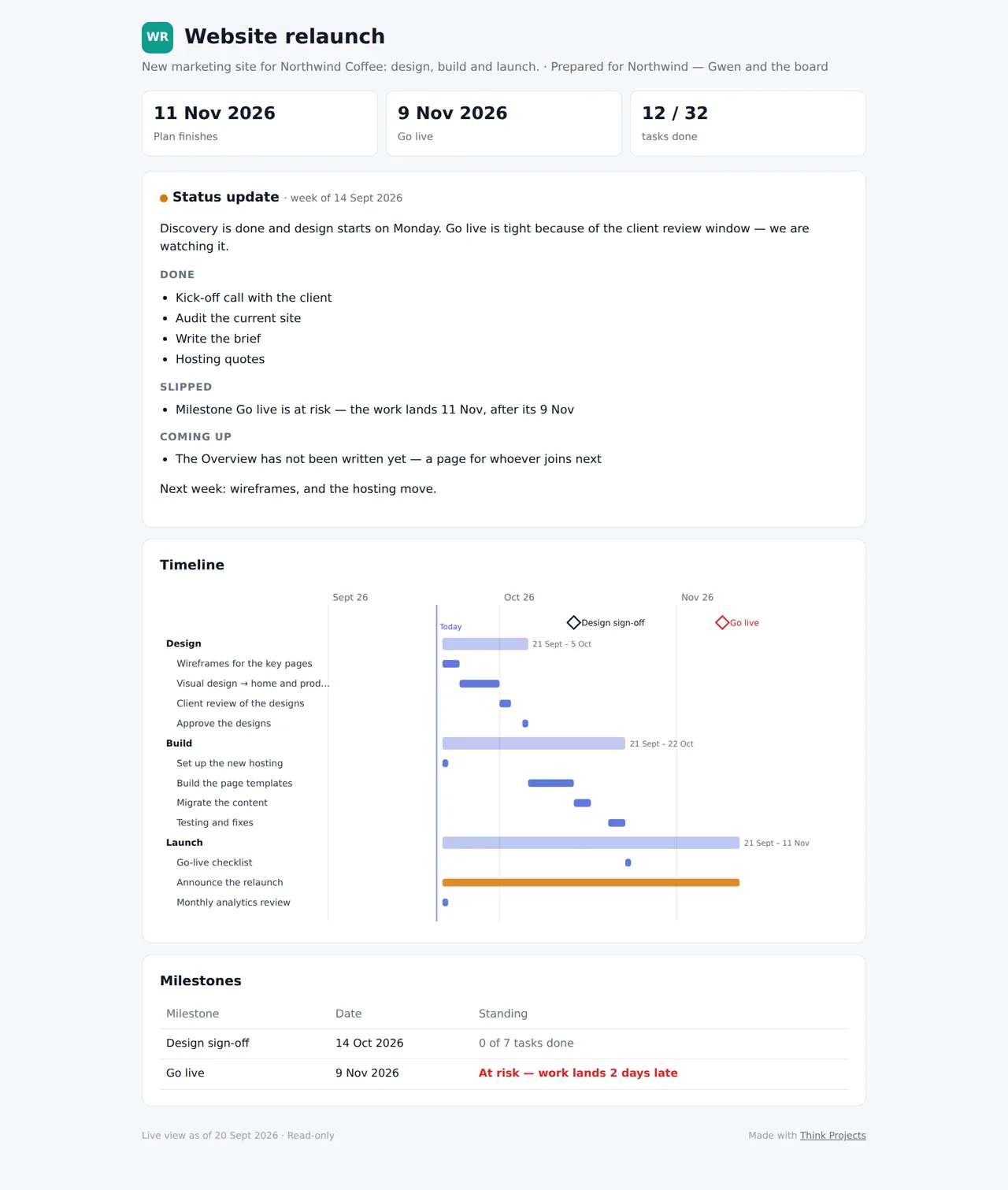
In the project, Settings → Client links → New client link. Say who it is for, tick what it shows, and the link is copied for you to send:
- Overview page — the project's Overview, pictures included.
- Latest status update — the last one sent, with its colour and its done / slipped / coming up / blockers.
- Timeline — each list as a bar from its planned start to its planned end, today marked, milestones as diamonds. Task names on the timeline adds the tasks under each list; untick it to show only the lists.
- Milestones — each with its date and standing: done, on track, now expected later, or at risk.
Optionally give it a passcode (the page asks for it once, then remembers for twelve hours in that browser) and a date it works until.
The page never shows people's names, comments, files outside the Overview, or anything from other projects, and cannot be found by search engines.
Looking after it
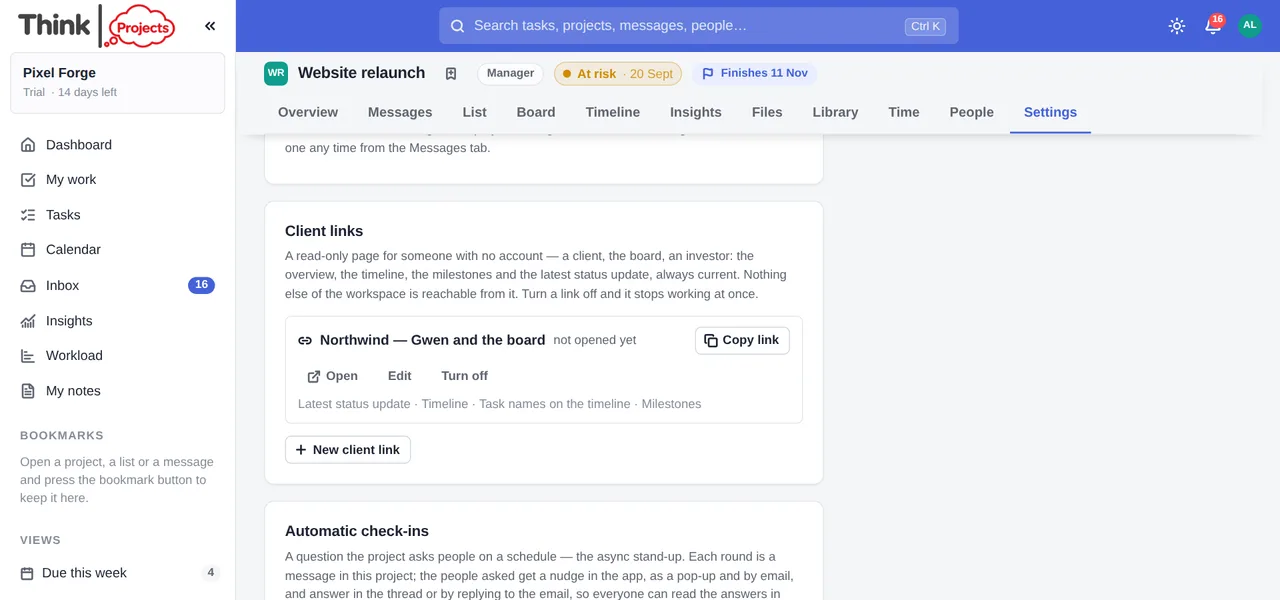
The Client links card lists every link with how many times it has been opened and when. Edit changes what it shows, the passcode or the end date. Turn off revokes it — anyone with the link then sees This link no longer works, and you can make a new one whenever you like. A project can have up to ten links at once, and making or turning one off is recorded in the organisation's security record.
Want to try it on your own work? Every feature on every plan, a 14-day trial, no card needed — and guests are always free.
Create a workspace