Dashboard and My work
Where you land each morning, and the one list of everything on your plate.
Dashboard
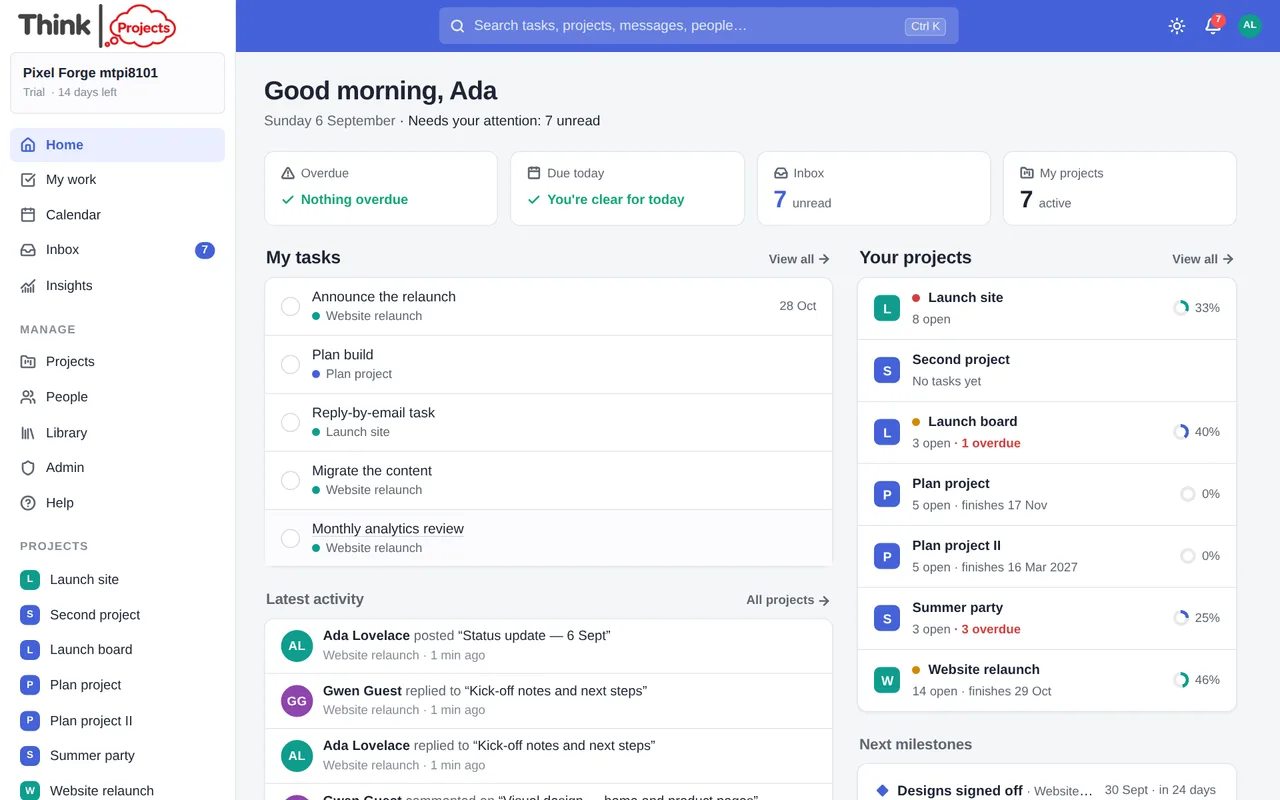
The Dashboard is your own overview, kept deliberately short: what needs attention in one line, today's plan, what is coming, and the projects you keep close. Everything else is a section you can add — see Customise dashboard below.
What is there by default:
- Needs attention — one line of counts under the greeting, such as 1 overdue · 3 updates to review · 8 emails awaiting a reply. Each is a link: overdue tasks and unread items open My work and the Inbox already narrowed; decisions, waiting tasks, status updates and email open a panel beside the page with the full list. A count you have none of is simply not there, and red is kept for what is actually late. When nothing needs attention it says so in a few words.
- My day — the tasks you chose to do today, as a short preview of three with View all n when there are more (see My day below). Choose tasks takes you to My work, where the plan is made.
- Coming up — your next due dates, deadlines and milestones, nearest first, three at a time. A task still to do has an open circle, a milestone a diamond and the words Milestone due in n days — so a milestone called "Design sign-off" reads as still to come. What is already late is on the attention line, not repeated here.
- Bookmarked projects (or Pinned projects once you have chosen some) — up to four projects, each with one useful line: an overdue milestone, else tasks waiting on something, else the next milestone, else how far the tasks have got. Bookmark a project and it shows here (the same bookmark that puts it at the top of the sidebar), or Choose projects to pick exactly which ones; with neither, the section shows your most active projects and says so.
Sections you can add:
- My tasks — what is assigned to you, soonest first, with a sun button to put one on My day and a way into My work.
- Needs my decision, Waiting on, Status updates to send, Email waiting for a reply — the same lists the attention line opens, as sections on the page. In Waiting on, the circle on the right is the person who holds the task you are waiting for — hover it for their name, click it to open that task.
- Selected projects — progress, the next milestone and how many tasks are waiting, for the projects you choose.
- Next milestones — as a list or a small timeline; an overdue milestone stays in view, in red.
- Latest activity — what changed across your projects. As summaries, a run of the same thing by one person reads as one line — Ada added 7 files to Client onboarding — with See 7 to look at the events underneath; or grouped by project; or one plain list.
- Recent wins — tasks finished and milestones reached this week, by anyone on your projects.
- Quick links — your own shortcuts: a project, a page, a document, a tool outside Think Projects.
- Saved views — My work views you pinned, one click away.
- At a glance — the four large tiles (Overdue, Due today, Inbox, My projects) from before, if you preferred them.
A section never hides that there is more: a row limit always comes with n more or View all and a link. Sections that would only say "nothing" keep to one quiet line, so the space goes to what needs doing.
Customise dashboard
The button at the top right opens a panel in two parts: On your dashboard — show or hide each section, drag them into order (or use the arrows), choose compact or expanded rows and how many, and set each section's own filter — and Add section, where the rest wait; Add puts one at the foot of the dashboard. Reset to simplified layout puts the default back.
Three starter layouts are there to begin from: My day (today's plan, what is coming, what got done), Managing projects (pinned projects, milestones on a timeline, what the team has been doing) and Team overview (every project you can see, what the team did, where it is heading). Choosing one shows what it contains first; nothing changes until you press Use this layout, and your quick links and saved views are kept. A layout only arranges what you can already see — it never opens anything new.
Your arrangement is yours alone, kept per workspace, and follows you between devices. If you arranged your dashboard before this simplified layout arrived, it is left exactly as you had it — the new sections wait under Add section.
Administrators of a new organisation also see a Getting started card until the first project, message and invitation are done.
My day
My day is one personal list, the same on the Dashboard and on My work: the tasks you mean to do today, in the order you mean to do them. Put a task on it with the sun button on any row in My work (or on the Dashboard's My tasks), or from a task's … menu. Nothing on the task changes — not its due date, not its priority, nothing the project sees; the plan is yours.
The first three are marked as your focus. Three is a suggestion, not a limit — add more if the day really holds more. Drag rows to reorder them, or use the arrows; the × takes a task off the plan. The heading adds the day up: how much is planned, using the estimates, and how many tasks have no estimate (they are counted, never treated as zero). A day is a working day as your organisation defines it under Admin → Organisation.
Due today on a row is the task's own date. Planned today means only that you chose it. The two are never confused.
Tick a task off and it stays on today's plan, crossed out, so the day reads as it went. Anything still open when the day turns is not thrown away: the next morning it is offered back under Left from yesterday, with Carry forward and Let go for each, or for all at once. The day changes on your own clock, wherever you are.
My work
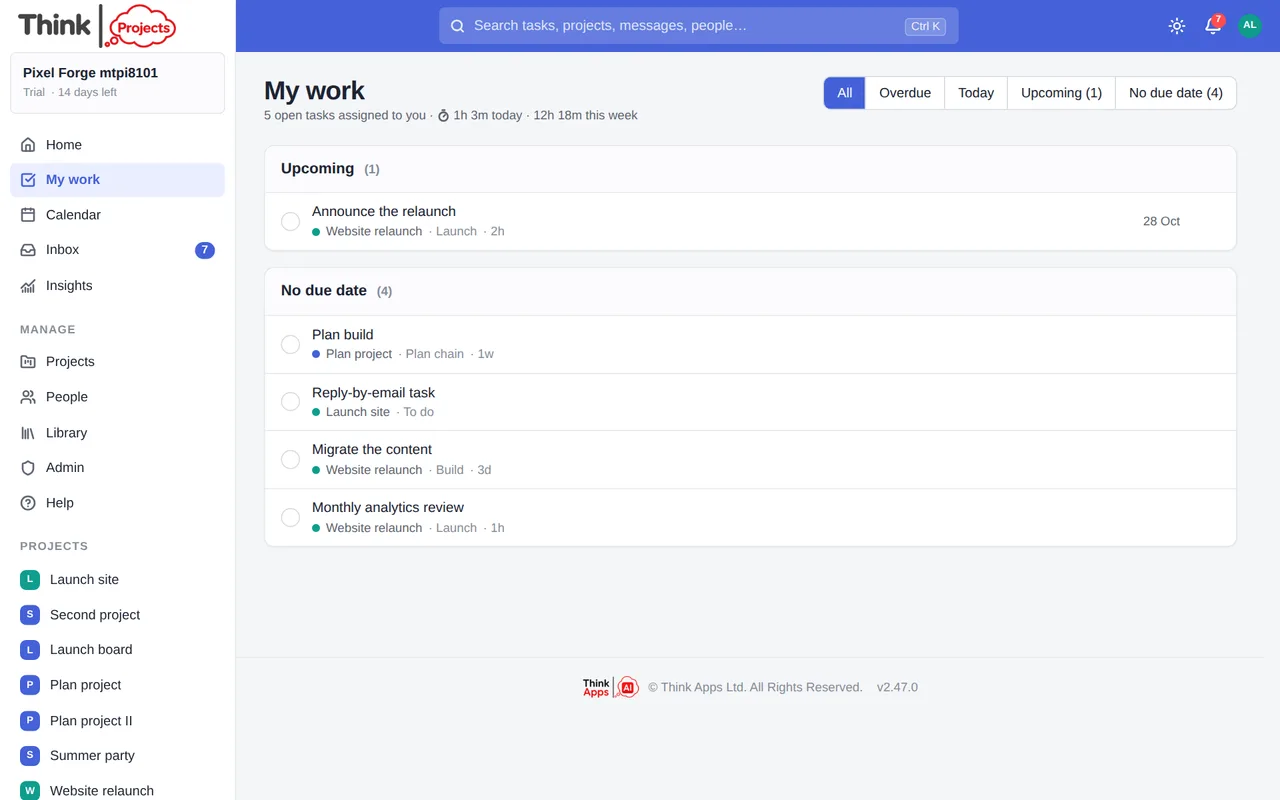
My work is every open task assigned to you, from every project, in one place — for choosing what to do next, organising it, and getting it done. My day sits at the top; under it, all your tasks.
The toolbar organises the list, and remembers your choices per workspace:
- Group by due date (Overdue, Due today, Next 7 days, Later, No due date), by project, by priority, or by status (waiting on something, in progress, not started).
- Sort by due date, by priority, or shortest first — by estimate, with unestimated tasks last.
- Project and Priority filters, a Waiting toggle for tasks held up by another task, and Quick tasks with a threshold (15, 30 or 60 minutes or less). Quick tasks needs a recorded estimate: a task with none is never called quick.
- Comfortable or compact rows, and a search box over everything assigned to you — the whole set, not just the rows on screen.
Active filters show as chips with an × each and a Clear all. Views saves the grouping, sorting and filters you have as a named view, pinned to the Dashboard's Saved views if you like.
Groups fold and unfold, with their counts. A long group shows fifteen rows and says how many more there are; Show more brings the rest.
Each row shows the title, the project and list it lives in, then who or what it is waiting on, its priority, its estimate and its date, in the same places on every row. A high priority carries a red mark and the word, a waiting task a pause mark — never colour alone. Hover a row (or tab to it) for its quick actions: My day on or off, Priority, Due date, Snooze; the … menu holds them all, on a phone too. Priority and due date go to the task through the same rules the project uses — if you may only view a task, the change is refused with a word. My day and snooze are yours and change nothing on the task.
Click a title and the task opens in a side panel — details, comments, editing — without losing your place in the list. The address carries the task, so a link can be shared; Escape or the browser's back closes it and focus returns to the row.
Tasks somebody has asked you to approve sit above the list under Waiting for your approval, each with Approve and Changes needed — see Approvals. Tasks you have snoozed wait at the foot with Wake now. When time tracking is on, the heading also shows how much time you have logged today and this week.
Tip: press g then m to jump to My work from anywhere, or g then d for the Dashboard.
My notes
My notes in the sidebar is your own notebook — as many notes as you like, private to you, that nobody else in the organisation can read (not even an administrator). The list on the left, the note on the right: New note starts one, each has a title (or takes its first words as one), and the ⋯ menu on a note deletes it. Jot down the call you need to make, the half-formed idea, the link you keep losing. It is the same editor as a message, with bold, lists, links, pictures and dictation, and it saves by itself a moment after you stop typing — the corner says Saved just now. Press g then n from anywhere to come back to the note you had open. When a note turns into something the team needs, put it in a project's Library instead.
Want to try it on your own work? Every feature on every plan, a 14-day trial, no card needed — and guests are always free.
Create a workspace