Weekly status updates
A status update drafted for you from the week's activity, ready to top, tail and send.
Every week, Think Projects drafts a status update for each live project from what actually happened: what was finished, what slipped, what is coming up and what is blocked. A manager reads it, adds a line or two, chooses a colour, and sends it. It goes out as a message on the project, so everyone on it is told the usual way.
The draft
By default a draft is prepared at 8 in the morning on Friday, in the project manager's time zone, and the managers get a notification: Status update to send. Open the project's Messages tab and you will see a banner with Review and send. If you manage several projects you get one notification and one email for all of them, each project a link to its draft — and the Dashboard shows a Status updates to send card listing them until they have gone.
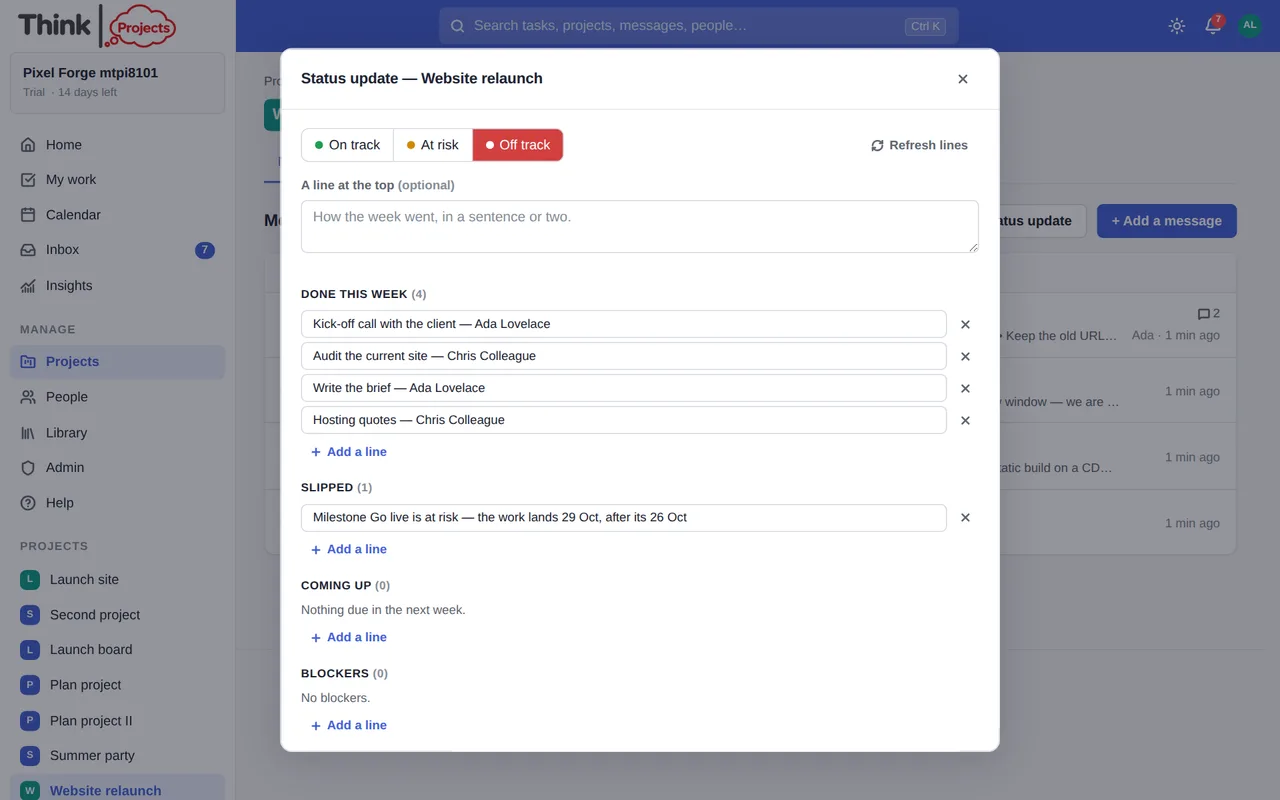
The editor has:
- On track / At risk / Off track — the colour of the week. A colour is suggested from the facts (a late milestone or a dependency problem suggests red; overdue tasks or blockers suggest amber) but the choice is yours.
- A line at the top and a line at the end — your own words.
- Done this week, Slipped, Coming up and Blockers — the drafted lines. Edit any line, remove one with its ×, or Add a line. Refresh lines rebuilds them from the project if things have moved since the draft was made; your own lines and the colour stay.
- Send update posts it. Throw away discards the draft. Drafts save themselves as you type.
A manager can make an update at any other time with the Status update button on the Messages tab.
How it looks
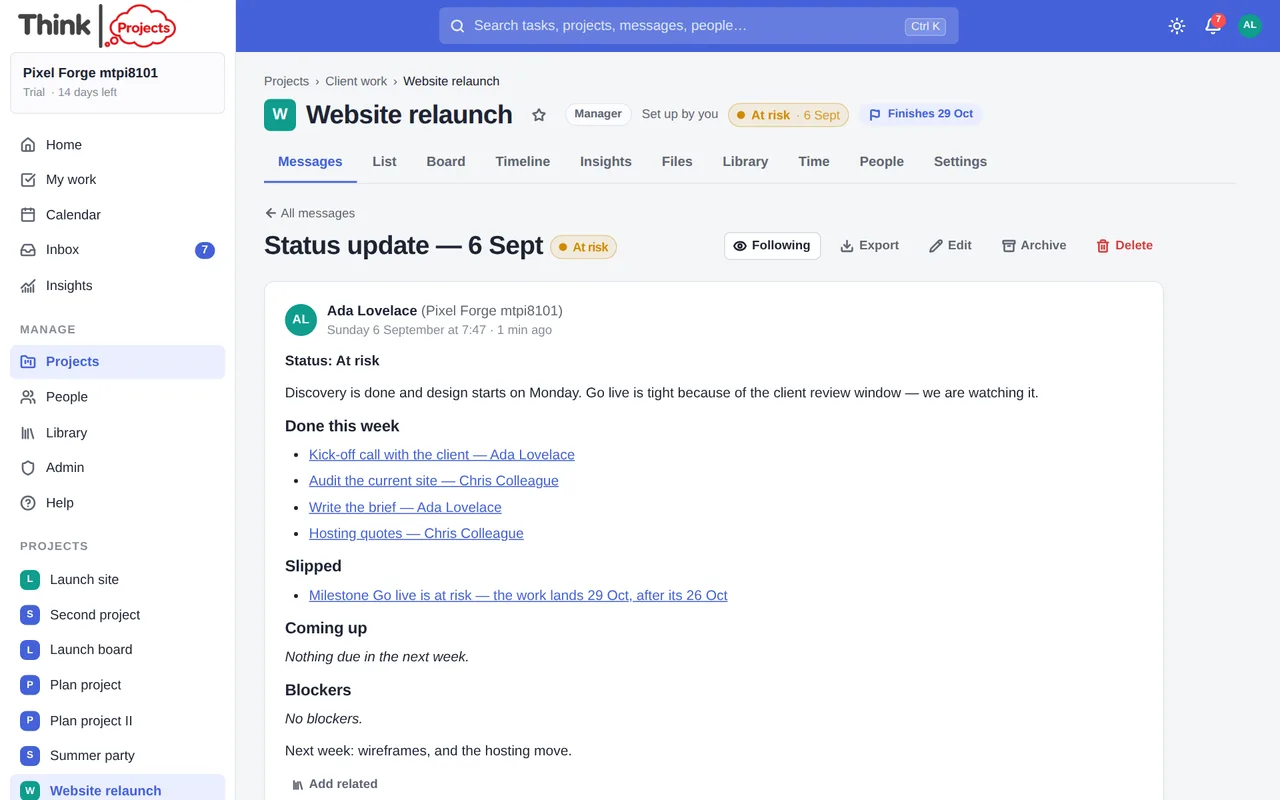
Sent updates are messages titled Status update — {date}, with the colour as a chip. The latest colour also shows in the project header, on the projects list and as a dot next to the project on the Dashboard, so a red project is easy to spot.
Choosing how it goes out
Under the project's Settings → Weekly status update, a manager can choose:
- Draft it for a manager to send — the default.
- Send it as drafted, by itself — no review; it posts under the name Weekly status.
- Off — no weekly update for this project.
And on which day of the week.
Where the lines come from
- Done — tasks completed in the last seven days and milestones reached.
- Slipped — overdue and at-risk milestones, overdue tasks, and a note when the planned finish has moved past the frozen plan.
- Coming up — milestones in the next fortnight and tasks due in the next seven days.
- Blockers — tasks waiting on something late, tasks starting before their dependency can finish, tasks whose assignee is away, and tasks due within a week with nobody on them.
Each line links to the task or the timeline.
Want to try it on your own work? Every feature on every plan, a 14-day trial, no card needed — and guests are always free.
Create a workspace