Your settings
Profile, appearance, time off, calendar links, and keeping your account safe.
Open My settings from your avatar at the top right. Six tabs.
Profile
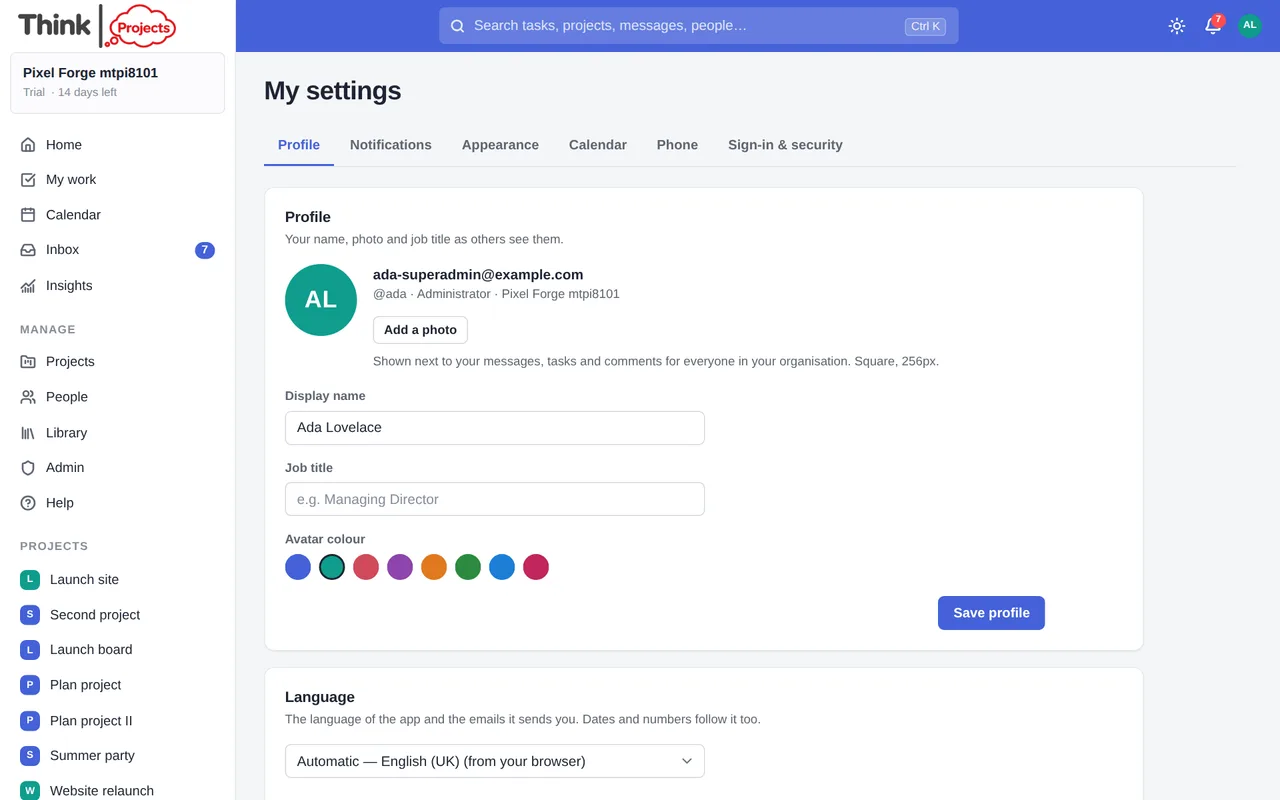
Your photo, display name, job title and avatar colour.
Your reactions — the emoji offered when you react to a message or comment. Click one to swap it for any emoji you like, add up to eight, drag nothing: they appear in the order shown. Any other emoji is always a click further away, behind the … in the reaction pop-up. Back to the standard eight forgets your choice.
Notifications
What you are told about, pop-ups, quiet hours, email and the Monday summary. See Notifications.
Appearance
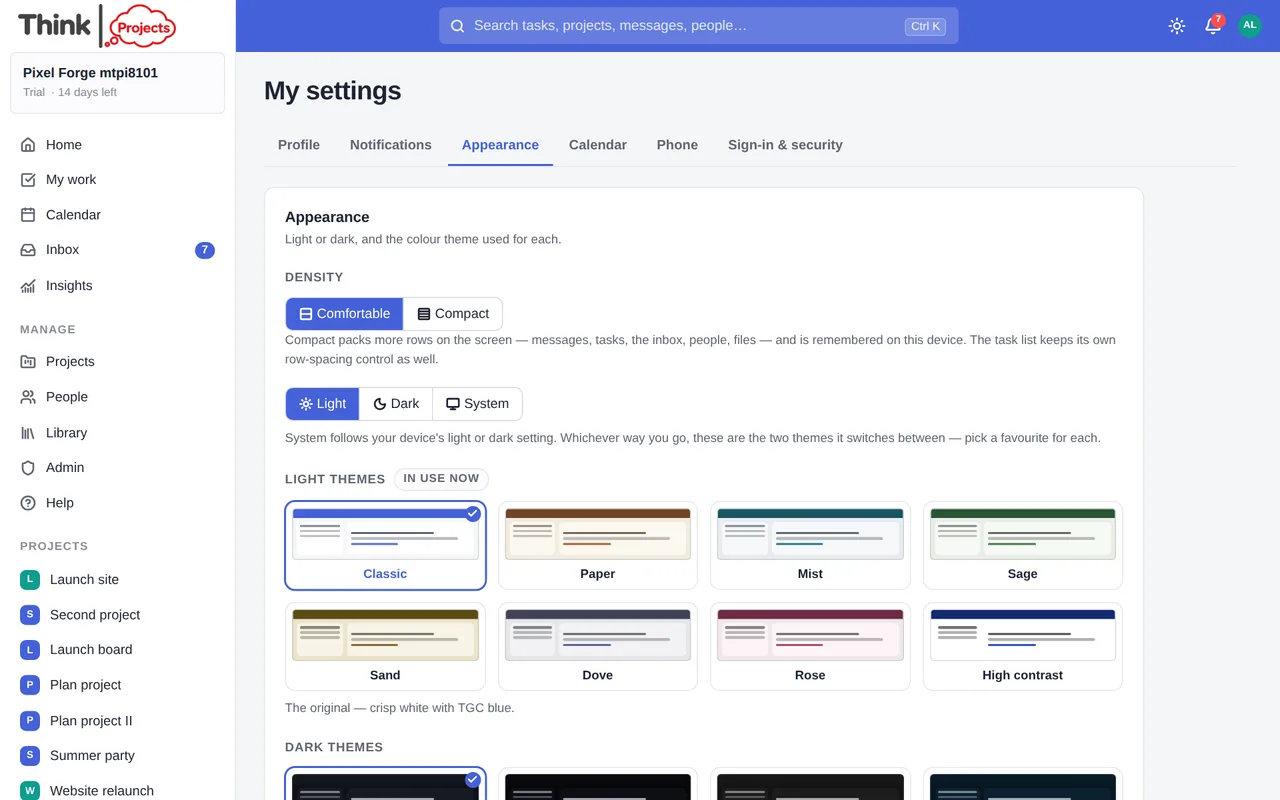
Light, Dark or System, and a theme for each: eight light and eight dark, each drawn as a small preview. The sun/moon button in the top bar switches mode quickly.
Your own colours. The last card in each grid, Make your own, opens a small editor: pick six colours — the page, the cards, the sidebar, the top bar, the accent and the text — starting from any of the built-in themes, and the rest of the palette (hover shades, faint text, borders, the words on buttons) is worked out from them so the app stays readable. It applies as you go, with a preview and a note if any pairing is hard to read, and is saved to your account, so it follows you to every device. Click the Your own card once to use it, again to change it; Forget this scheme puts the card back to empty.
Typeface, text size and spacing
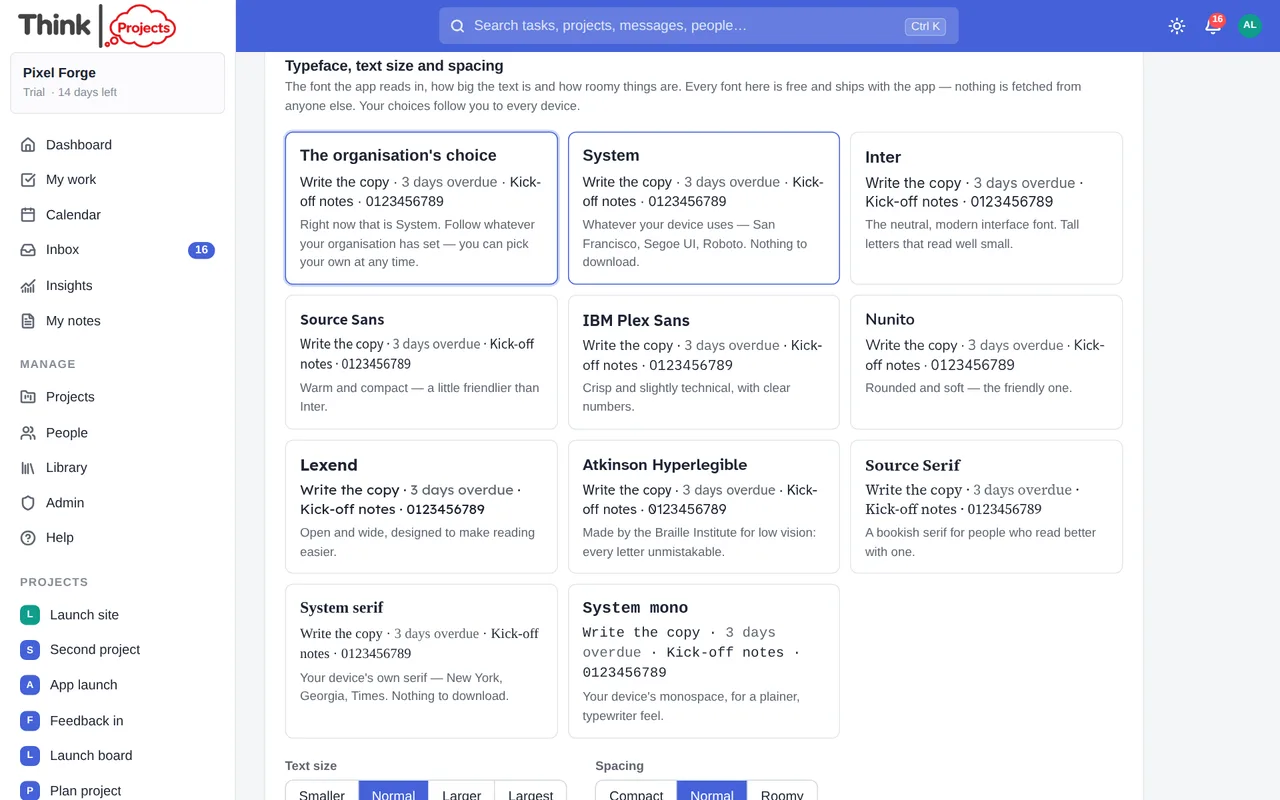
Our font might be someone else's dislike, so the app reads in the typeface you choose. Every card in the picker is drawn in its own face:
- The organisation's choice (the default) — whatever your administrator set for everyone; System — your device's own font (San Francisco, Segoe UI, Roboto), nothing to download.
- Inter, Source Sans, IBM Plex Sans, Nunito — four well-made sans-serifs with different characters: neutral, warm, crisp, rounded.
- Lexend — designed to make reading easier; Atkinson Hyperlegible — made by the Braille Institute for low vision, every letter unmistakable.
- Source Serif, System serif, System mono — for people who read better in a serif, or like a plainer look.
All of these are free, open-source fonts that ship with the app — nothing is fetched from Google or anyone else, and they work offline in the installed app. Below the cards: Text size (Smaller · Normal · Larger · Largest — everything scales together), Spacing (Compact · Normal · Roomy — rows, cards and forms everywhere; the task list keeps its own row-spacing icons on top), Easier reading (more space between lines and letters) and Reduce motion. Changes apply at once and follow you to every device.
Calendar
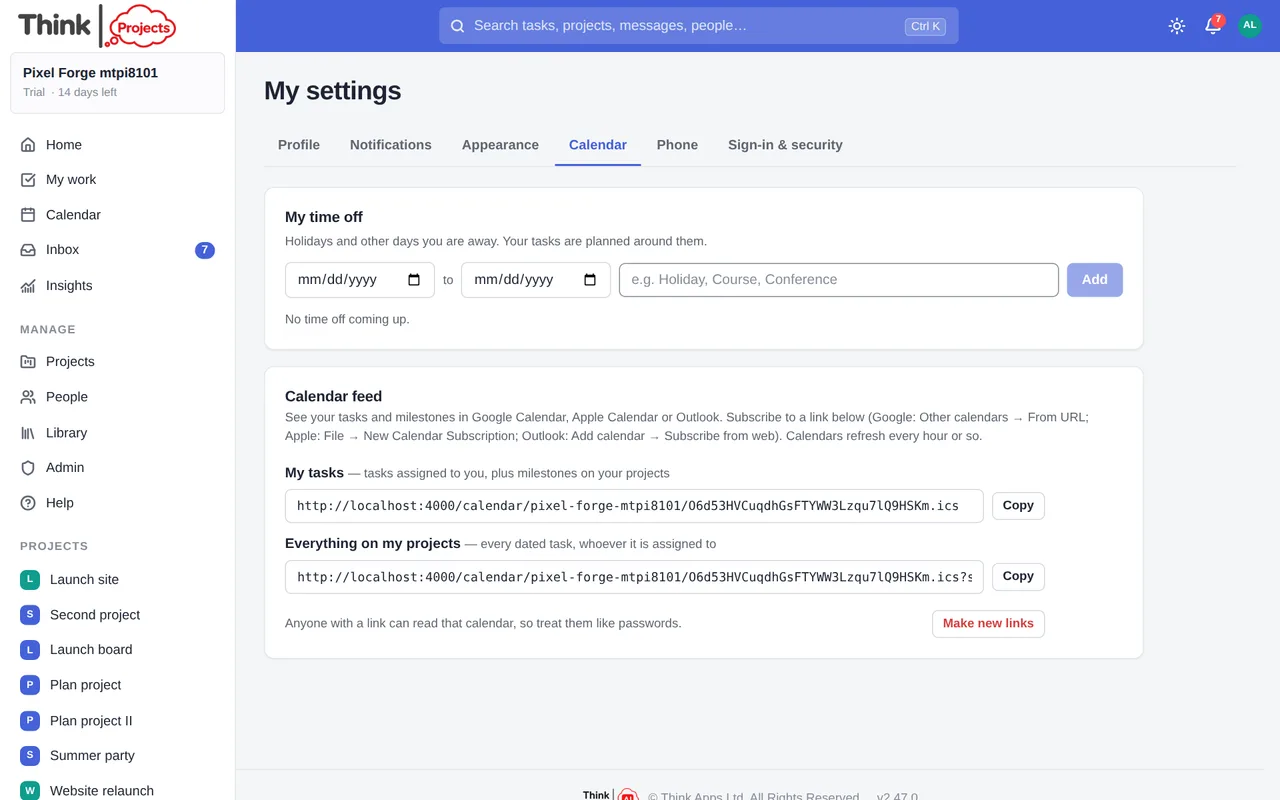
- My time off — add the days you are away, with a note. Your tasks are planned around them, and colleagues see it on the Calendar and the People page.
- Connected calendars — connect your Google Calendar or Outlook and your meetings appear on the Calendar here and count as time you cannot do tasks in: a three-hour workshop is three hours less that day, and the plan and Workload allow for it. Choose which calendar; Read now pulls it straight away (otherwise every fifteen minutes); Disconnect forgets everything we kept. Turn on Put my planned tasks in this calendar and your planned tasks go the other way, as free all-day blocks that move when the plan does and disappear when a task is done. Declined invitations and events marked free do not count as busy.
- Calendar links — subscribe to your tasks, or everything on your projects, in Google Calendar, Apple Calendar or Outlook. Make new links cancels the old ones.
Phone
Sending things from your phone into a project's Library. See Phone.
Sign-in and security
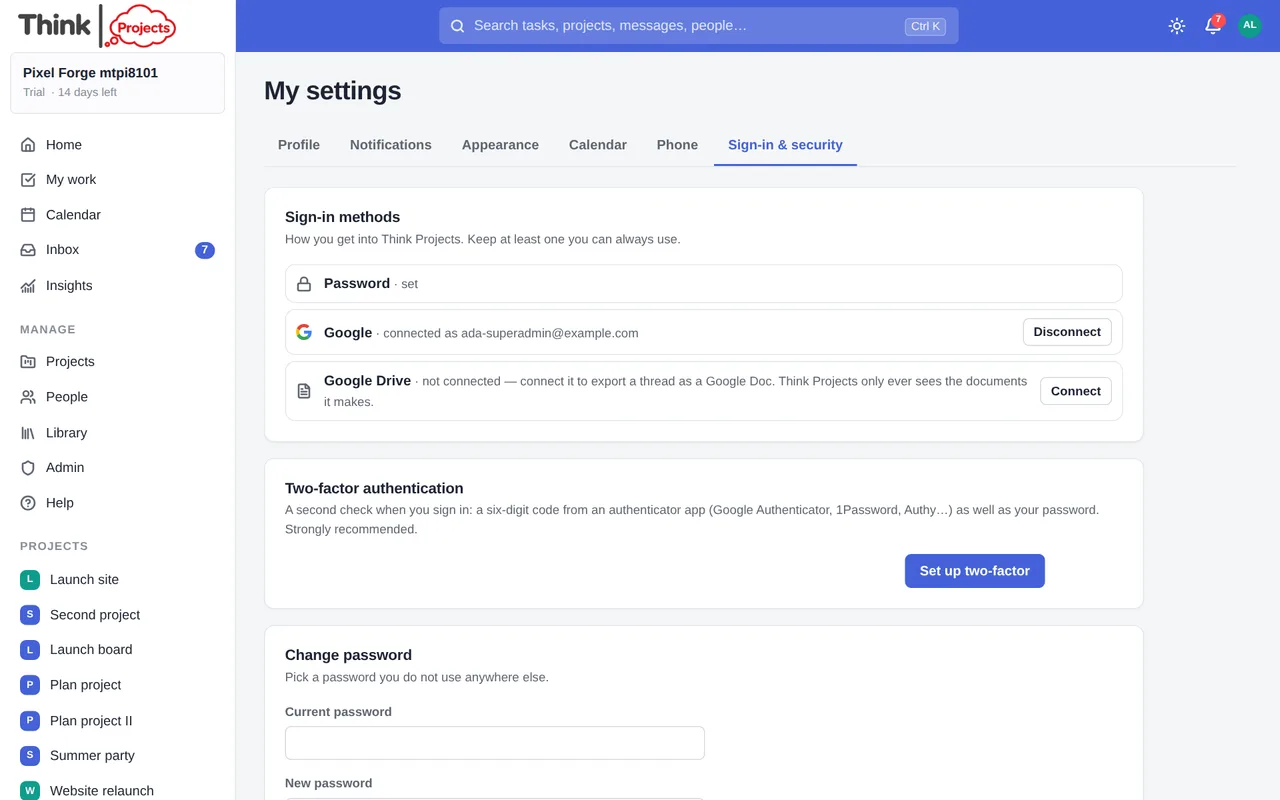
- Sign-in methods — a password, Google, or both. Connect Google to sign in with a click; you need a password set before you can disconnect it.
- Google Drive — connect it to export a conversation as a Google Doc (see Messages). Think Projects only ever sees the documents it makes, never the rest of your Drive. Disconnect at any time; documents already made stay in your Drive.
- Two-factor authentication — scan the QR code with an authenticator app (Google Authenticator, 1Password, Authy…), type the six-digit code, and save the ten recovery codes somewhere safe: each one gets you in once if you lose your phone. Your organisation may require this.
- Change password — at least ten characters, and not something easy to guess; the meter tells you as you type. Changing it signs out every other device.
- Where you are signed in — every browser and device with a session, with Sign out for each and Sign out everywhere else.
Want to try it on your own work? Every feature on every plan, a 14-day trial, no card needed — and guests are always free.
Create a workspace