
Importing from other tools
Bringing projects in from Teamwork, Trello, Asana, ClickUp or a spreadsheet.
Click Import… on the Projects page. Members and administrators can import; importing into an existing project needs manager rights on it.
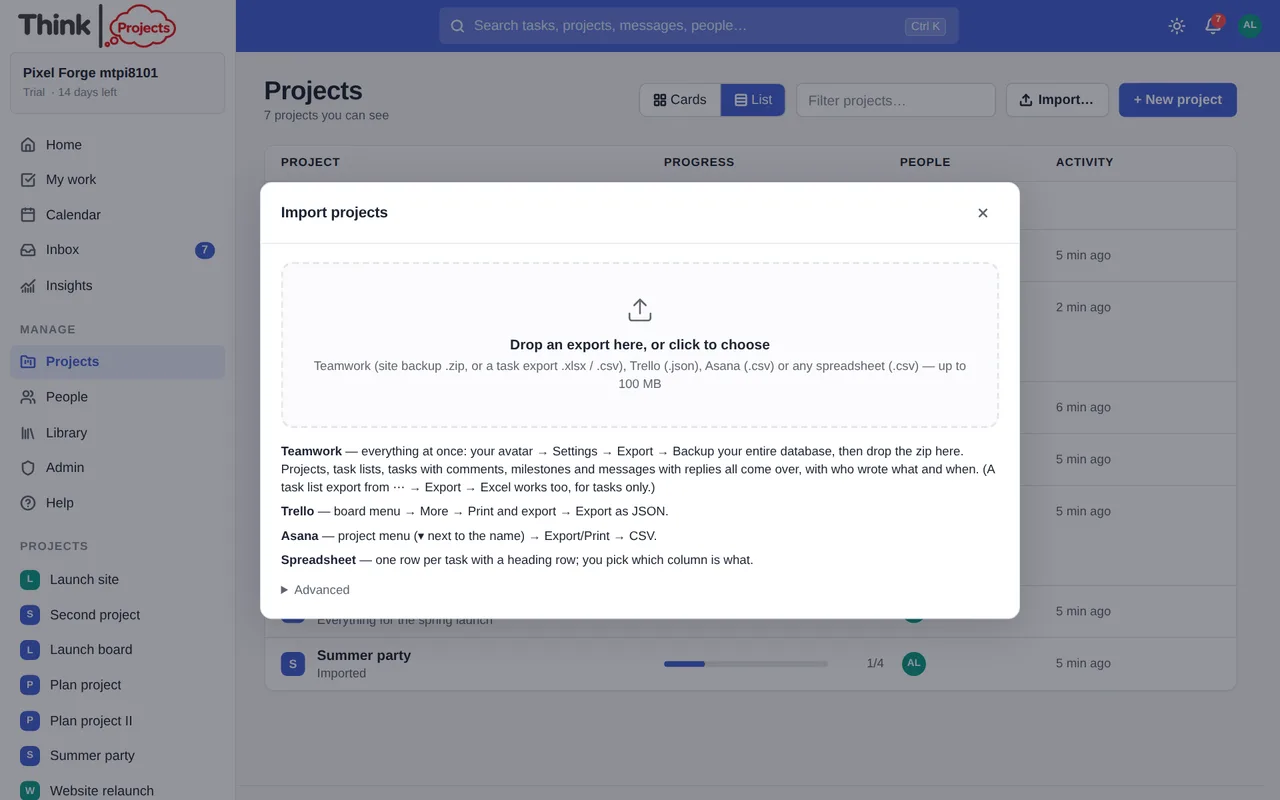
Step 1 — the file
Drop an export onto the wizard, or click to choose one. Files up to 100 MB.
- Teamwork — in Teamwork, click your avatar → Settings → Export → Backup your entire database, then drop the zip here. Projects, task lists, tasks with their comments, milestones and messages with their replies all come over, with who wrote what and when. A task-list Excel export works too, for tasks only.
- Trello — board menu → More → Print and export → Export as JSON.
- Asana — project menu → Export/Print → CSV. Sections become lists; subtasks, tags, dates, priority and estimates come across.
- ClickUp — on a List or a Folder: ⋯ → Export → CSV. Each List becomes a task list; statuses of complete or closed are done; assignees, tags, dates, priority, time estimates, subtasks (by parent) and checklists come across.
- Basecamp — has no task export we can read (it exports to HTML). Copy a to-do list and use paste a list in a task list instead, or put the to-dos in a spreadsheet.
- A spreadsheet — one row per task with a heading row (.xlsx or .csv).
The format is detected automatically; Advanced lets you force it and name the project for single-project files.
Step 2 — check what was found
The wizard shows every project in the file with its counts of lists, tasks, subtasks, messages and pictures. For each one choose New project or Add to an existing one. A project with the same name here is pre-selected, so re-running an export tops it up instead of duplicating it.
- For a spreadsheet, Which column is what maps your headings to task name, list, assignee, dates, priority, tags, completed, parent task and so on.
- Who is who matches every name in the file to a person here, by email, then name; anything unmatched is highlighted, and Leave unassigned is always an option.
- Tick Copy pictures into Think Projects so images in messages and comments outlive the old tool.
Step 3 — import
A progress bar shows tasks and pictures as they arrive; you can close the wizard and it carries on. When it finishes you get the counts and links to the projects. If something went wrong, Undo this import (administrators) removes everything that batch created.
Want to try it on your own work? Every feature on every plan, a 14-day trial, no card needed — and guests are always free.
Create a workspace